-May-27-2025-10-14-42-1506-AM.png?width=150&height=38&name=IEGGroup-Logo_Black-filled%20(2)-May-27-2025-10-14-42-1506-AM.png)
Introduction:
Changes have been made to the Building Control (BR) and Initial Notices (IN) modules to allow the recording of information required for the legislation enacted under powers from the Building Safety Act 2022 and detailed in The Building Safety Levy (England) Regulations 2025.
The new fields can be found in both modules under the new styled “further information” icon.
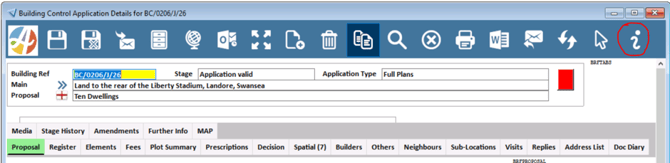
The menu item “Building Safety Regulations” has been extended to cater for the levy alongside the previously provided “High Risk Building” information.
The form is now divided into 3 sections:
- The main data entry area
- A Fee details area
- A Fee audit area
Section 1: Main data entry area
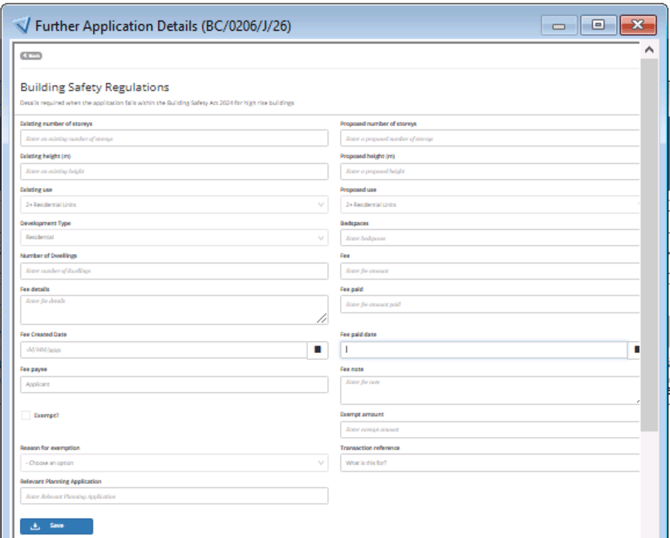
Where the residential development is not BSL liable the only fields needing to be completed are the “Exempt” tick box and the “reason for exemption” pick list. Pressing “save” will automatically enter todays date in the Audit section.(Section 3)

Where the number of dwelling or bedspaces are less than the Legislative threshold the details can still be entered. For example, in high property value areas where 7-9 dwelling developments also need to be identified.

Where the application is BSL liable, or falls in the 7-9 dwelling category, additional details such as the date the fee was calculated, the fee amount and a description explaining how the value was arrived at can also all be entered, including if there is a partial exemption.
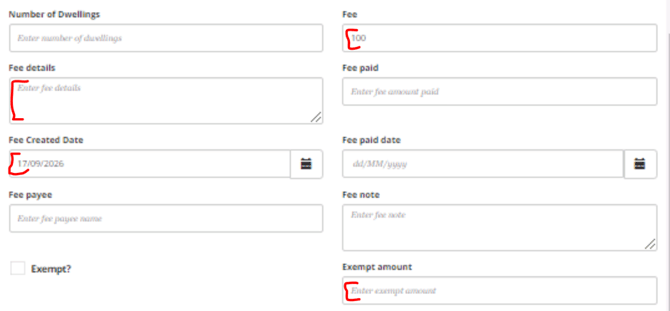
The related planning application reference number can also be entered and if needed a finance reference or other 3rd party reference can be added in the "Transaction Reference". (In the IN module this field is labelled “link to completion certificate” and can be used to hold the Completion Certificate details).

Pressing save automatically enters the details into the Fee Audit section
As the application progresses and the levy becomes due additional fields fee payee, date paid amount paid and any notes relating to the payment can be entered and any other updates amended in previously populated fields. Section 1 always holds the latest values and dates and previous entries are moved to the audit.

Section 2: Fee Evidence

If further detail needs to be entered, such as to record negotiations, disputes etc background detail can be added by pressing “+Add evidence”.
There are fields to enter a date, a type and further detail about the type plus additional notes if required. These fields are designed so they can be structured and used as mergefields in letters.
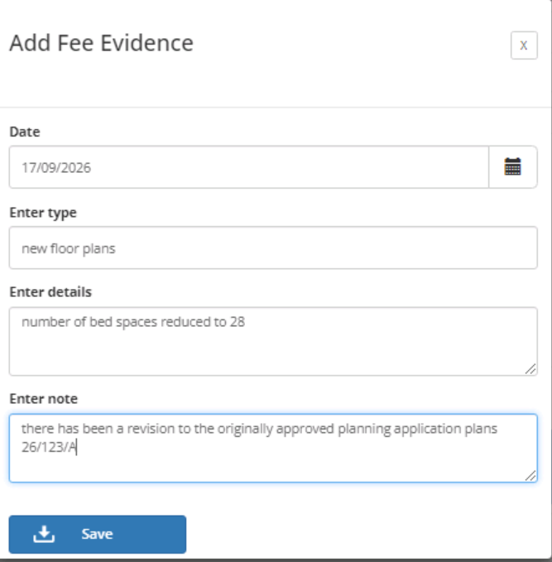
Pressing save adds this information to the top row in the evidence summary.
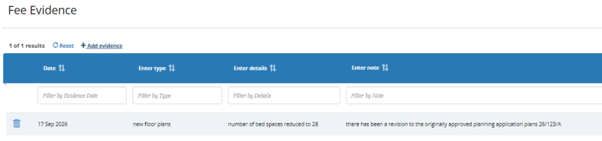
Any evidence resulting in changes to the calculations then need to be updated in the relevant fields in Section 1
(Note whilst this section can be used to also hold details on dates liability notices etc are sent, as a result of a change to the Exacom integration specification, dedicated fields for Date of Notice of No Liability, First Liability Notice Date, Current Liability Notice Date and Date Discharged will be added to this section.)
Section 3: Fee Audit
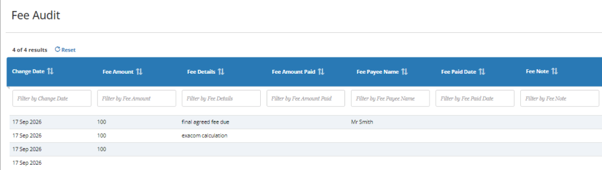
All edits made in section 1 relating to the fee are recorded in date order in the Fee Audit section.
Additional points:
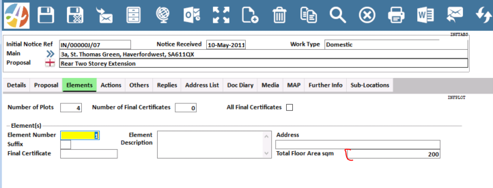
The floor area field already exists in the main building control module on the elements tab.
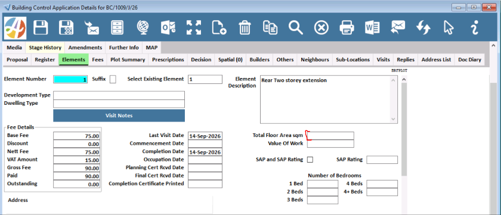
The ability to record floor area has also been added to the Initial Notices module.
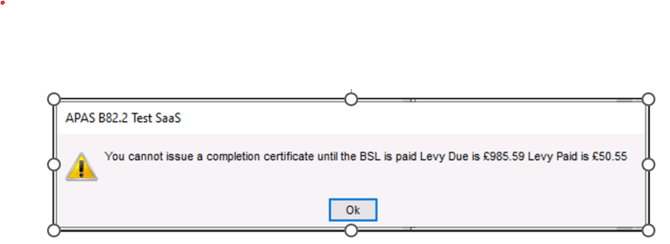
Warning message is displayed when producing a Completion certificate in both the Building Control and Initial Notices modules.
Where the “exempt” field is not set if the payment field is not populated, i.e. no payment has been made, or partial payment has been made ie the fee due does not equal the fee paid, the system will now display a warning message:
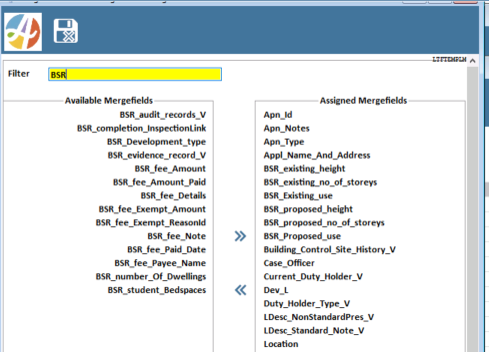
Available merge fields
Known issues:
There is an inconsistency between the floor area fields. In the IN module the new field the area does not allow for decimal places. (Devops ref 118166)
The “link to Completion Certificate” field should be a date field not a text box (Devops ref 118439)