-May-27-2025-10-14-42-1506-AM.png?width=150&height=38&name=IEGGroup-Logo_Black-filled%20(2)-May-27-2025-10-14-42-1506-AM.png)
Plan Checking enhancements
New parts added:
- Part S - Infrastructure for the charging of electric vehicles
- Part T - Toilet accommodation
- Regulation 7 – Materials and workmanship
New functionality:
- ‘Set as required’, a new button to save the selected categories as being required for this application. Once the user has set the tick boxes against each Part that is required to be checked the "set as required" acts as a "save" button to retain these settings.
- Required tick box, the categories ticked remain saved when closing and re-opening the form
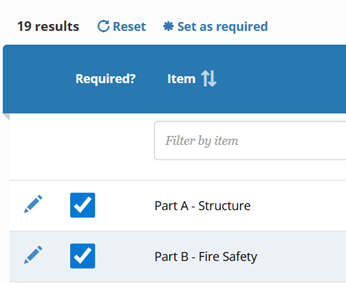
- ‘Set as not required’, a new button to set a category as not required, and once a category is not required, the table will display that Part as "not required", with the date when the “not required” was set.
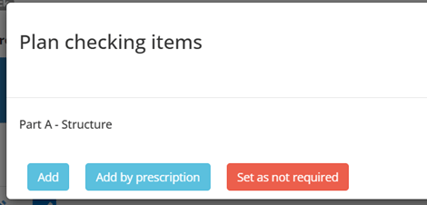

A message is displayed if a Part marked as required is subsequently set by this button to be not required. Accepting this message overwrites the previous setting.
Building Submission Fees to be able to work with or without a / in the short code
The calculation of fees in a building control portal submission uses the application type short code to select the correct fee type. This caused problems where the short code contained “/” (the short code is often used to be incorporated into the application reference numbering and therefore requires the “/”. The fee calculation now ignores the “/”.
Initial Notice Development description to use the full description
When retrieving the details for the Initial notices, the field for “Description of Works” will be populated with the full description not the short description.