-May-27-2025-10-14-42-1506-AM.png?width=150&height=38&name=IEGGroup-Logo_Black-filled%20(2)-May-27-2025-10-14-42-1506-AM.png)
Portal Planning – Release Notes
Portal Planning – v6.1
November 2025
AI Validator
Identifies missing elements by cross-referencing other documents of the same type.
(Currently UK only)
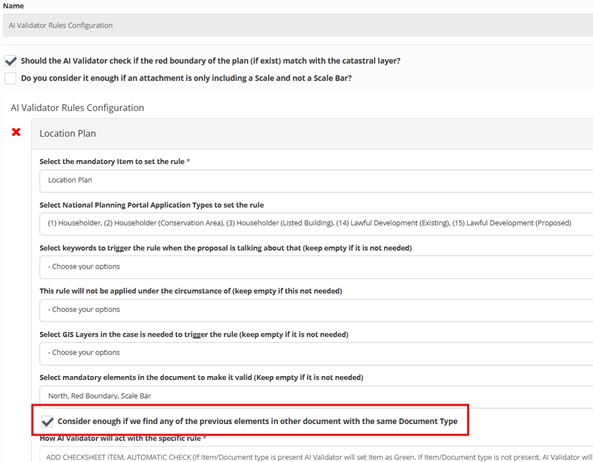
In response to client feedback, we have implemented a new configurable feature that allows users to enable or disable a specific validation rule. This enhancement ensures that if a document lacks certain required elements defined by the rule, but another document of the same type includes those elements, the application will remain valid and not be rejected.
To configure this feature:
- Navigate to the Configuration Portal:
- Select: Configure Service >> Planning >> Validator >> Rules >> AI Validator Rules Configuration.
- Select the document type requiring this configuration.
- Enable the checkbox indicated in the screenshot below to activate.
Citizen Portal
Compliance submission confirmation messages
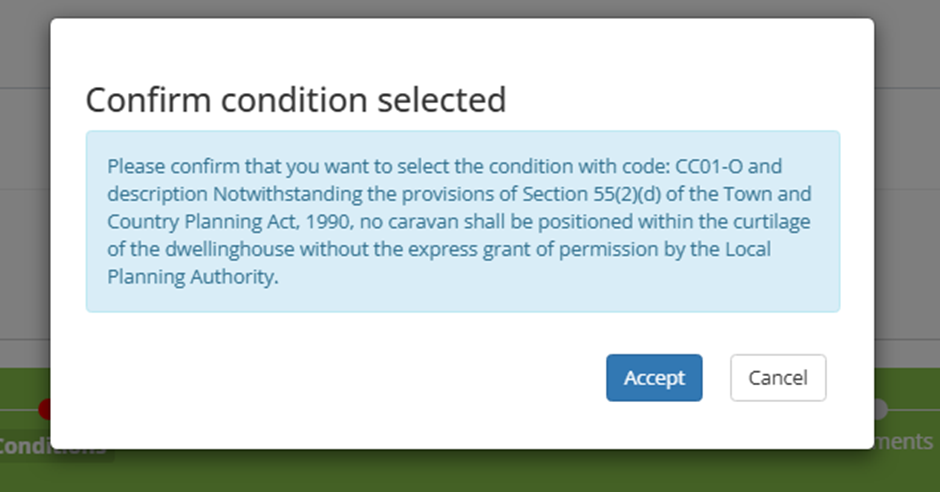
The Compliance submission facility now displays the following confirmation messages as the ‘parent’ application and required condition are selected:
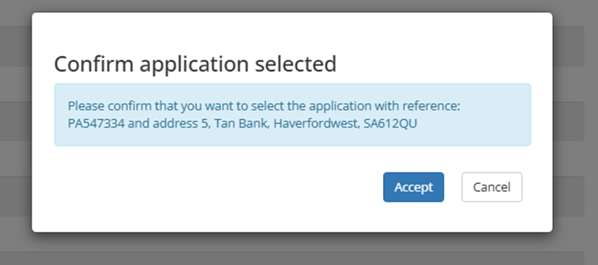
Compliance ‘parent’ application selection
The system does not now allow other compliance applications to be selected as the ‘parent’ application. This is controlled by the application types in question having a short code of ‘COMPL’.
Planning Submissions – Conditions selection
Conditions are only available for selection if they do not have the ‘Complied’ and ‘Complied Date’ fields selected. Please be advised that both fields need to be selected. These can be seen below:
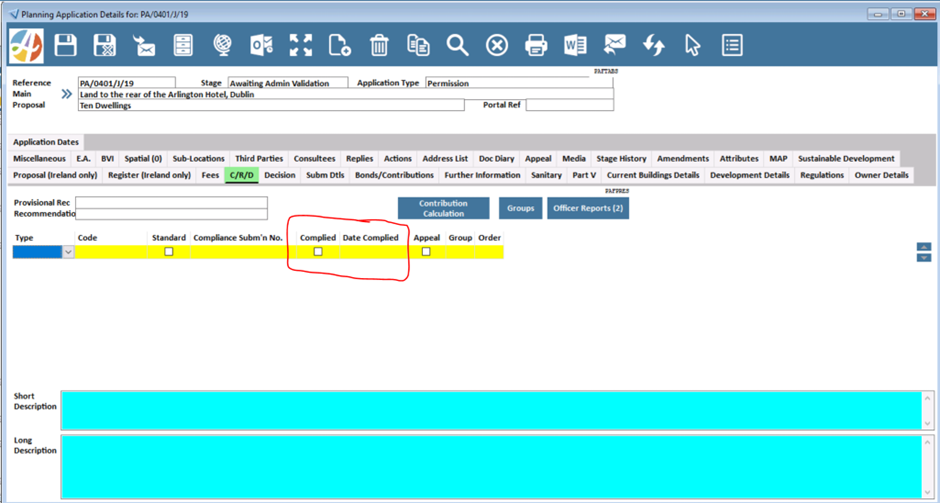
Planning Submissions – Compliance Submission
When a compliance application is submitted the description of works is transferred to both the short and full proposal fields in the planning system and the ‘Application Date' is populated with the submission date.
Planning Comments – Third Party Notification
When a comment is submitted via the Citizen Portal, an automatic confirmation email is sent to the Third Party to acknowledge receipt. A previous issue has now been resolved to ensure that this confirmation is only triggered after successful payment. Previously, the system would generate and send the confirmation even if the Third Party cancelled the transaction or exited the payment screen without completing payment.
Application Details – Responses
A previous issue has been resolved where only Consultee responses were visible in the ‘Responses’ section of the Planning Application details within the Citizen Portal. This section now also includes Third Party responses, with all feedback clearly grouped under ‘Consultee’ and ‘Third Party’ categories. Any comments entered within the ‘Comment Text’ field—along with any attached documentation—are displayed in this section and can be published to the Citizen Portal at the system user’s discretion.
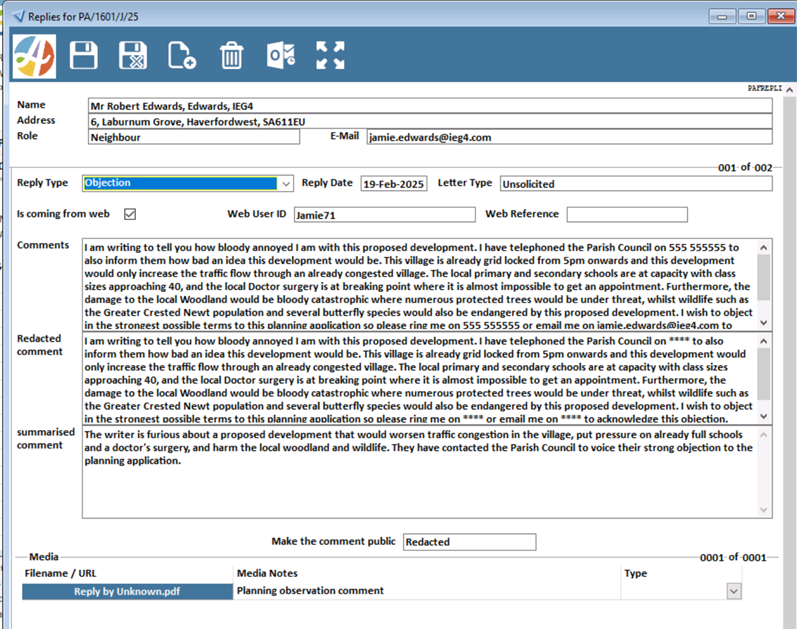
Additionally, the Planning system now supports automatic redaction and summarisation of submitted comments (provided they are entered in the ‘Comment Text’ field when submitted via the Citizen Portal) while retaining the original text. Once the consultation period concludes, planners can generate a consolidated summary of all responses via the ‘Replies’ screen, which can be merged into the Planner report. This functionality is powered by integrated AI technology, which is disabled by default but can be activated upon request through the Support Desk or your Account Manager.
For further information, please contact the Product Owner, Jamie Edwards.
Screenshots below illustrate the Citizen Portal ‘Comment Text’ field, and the Planning System reply screen with an automatically redacted and summarised comment.
Citizen Portal Planning Comment Text Field: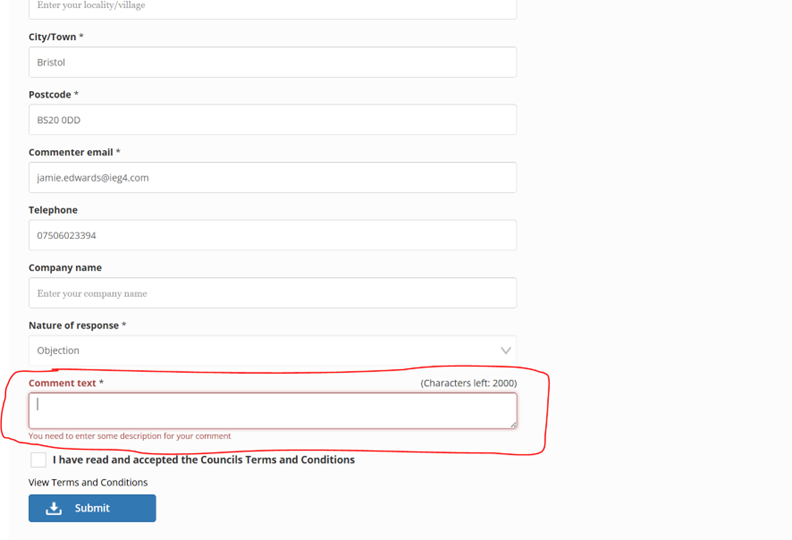
Auto redacted and summarised comment: